PortuguêsOpen Rasto

Know where every metical in your home goes

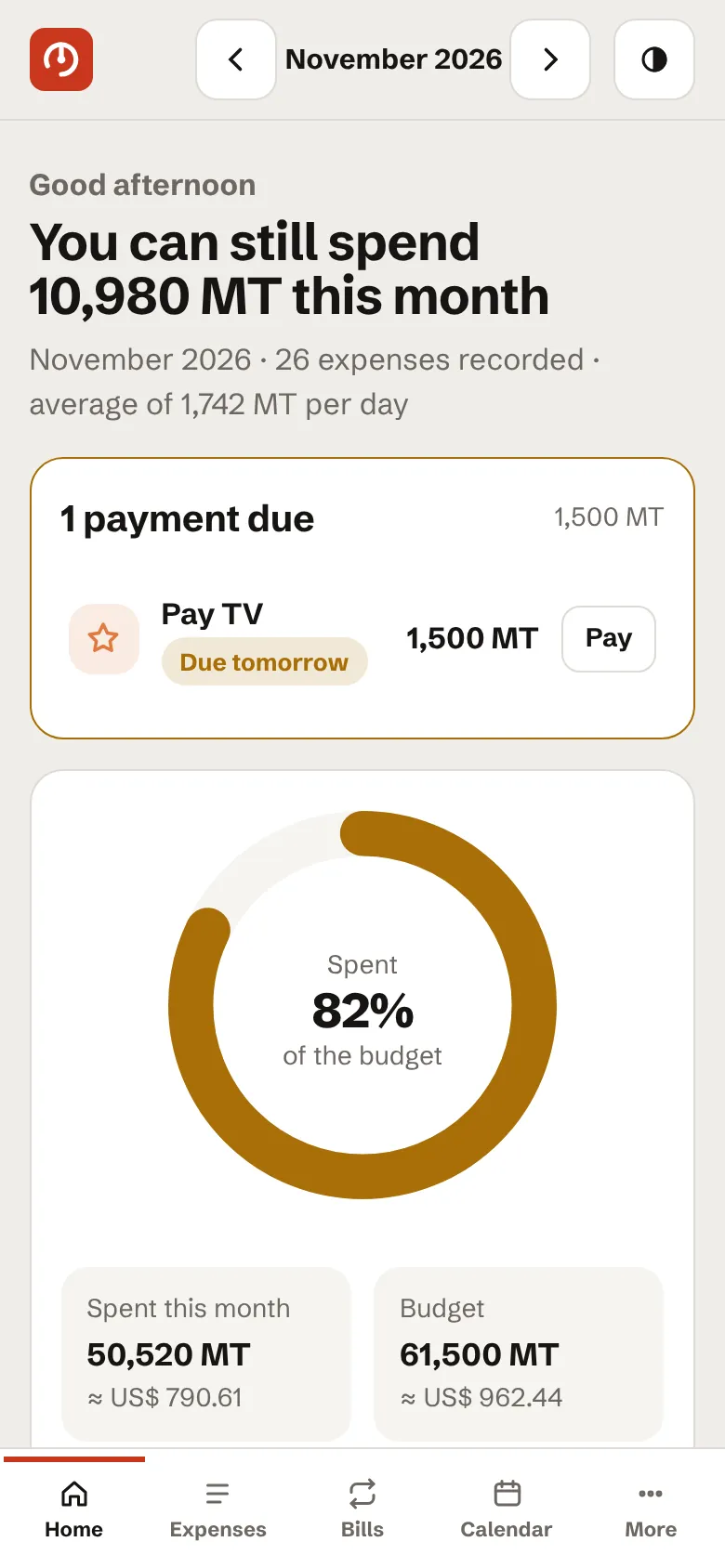
Rasto is a free app to record personal and family expenses, keep track of bills and stick to your monthly budget. It reads receipts, invoices and M-Pesa or e-Mola SMS for you, and keeps everything in sync on your phone and computer.

Works in the browser on Android, iPhone and computers, and installs like an app.

Rasto home screen with the monthly budget, what you can still spend and upcoming payments
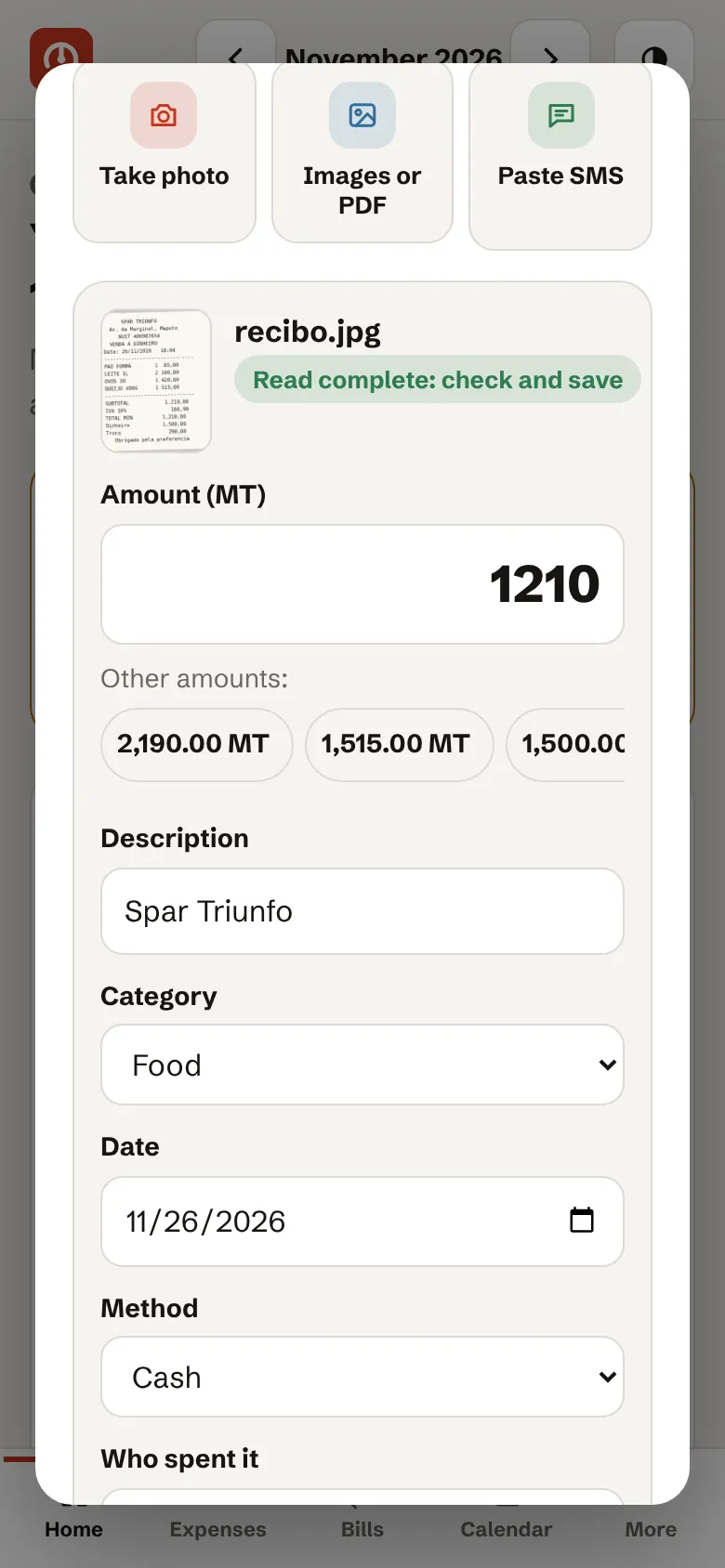
Rasto reading a supermarket receipt and filling in the amount, shop and category

Money rarely disappears all at once. It slips away.

Daily minibus fares, airtime, bread, money sent to family, rent that arrives before payday. Each expense feels small, and that is exactly why almost nobody writes it down. At the end of the month the same question comes back: where did the money go? Rasto exists to answer that question without taking up your time.

Everything you need to control your spending, in one place

1

Record in seconds, or let Rasto read it for you

Take a photo of a receipt, pick a screenshot or an invoice PDF, or paste the confirmation SMS from M-Pesa, e-Mola, mKesh or your bank. The app finds the amount, date, shop, payment method and category, and you only need to confirm. Reading happens on your phone, and the image is kept with the expense so you can see it on any device.

A receipt being read, with the amount, description and category filled in automatically
2

Bills without surprises

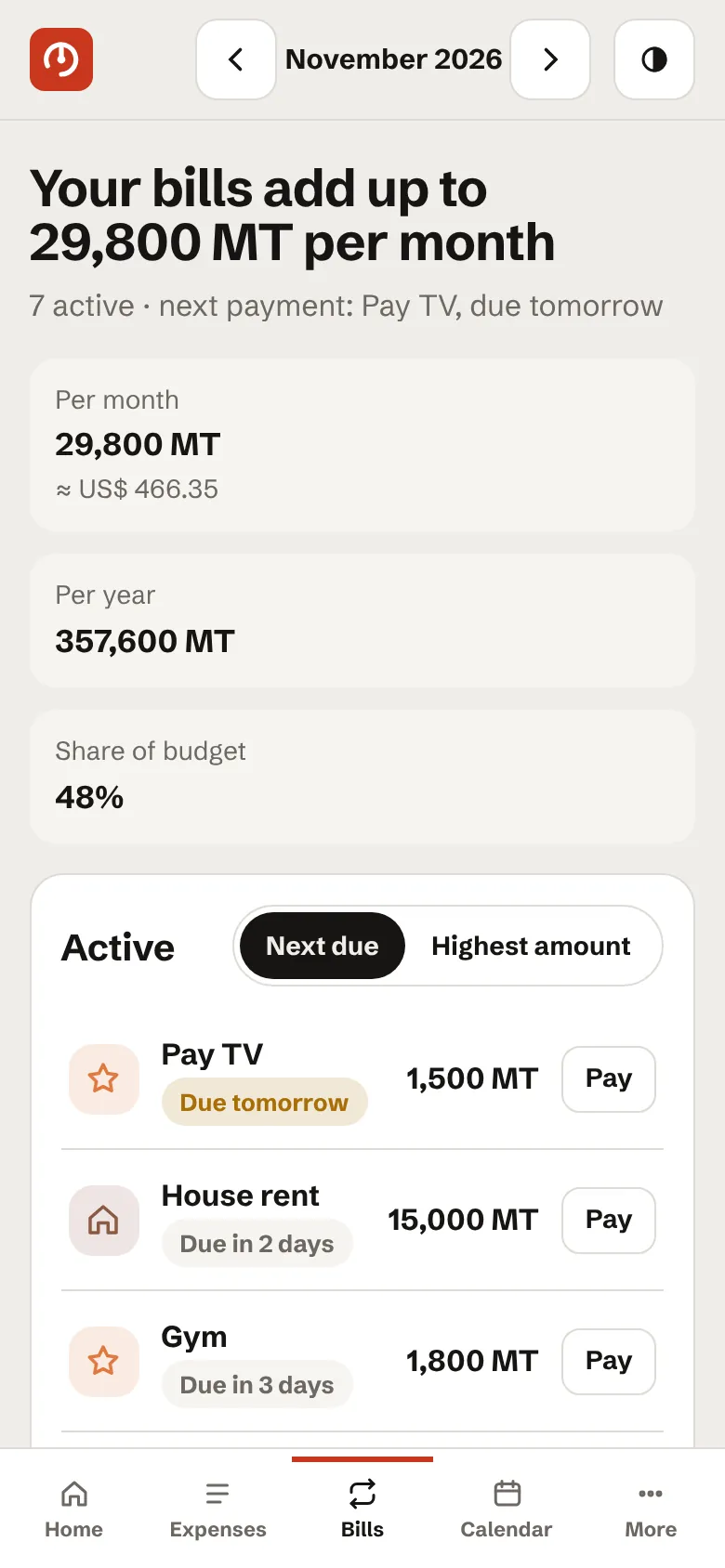
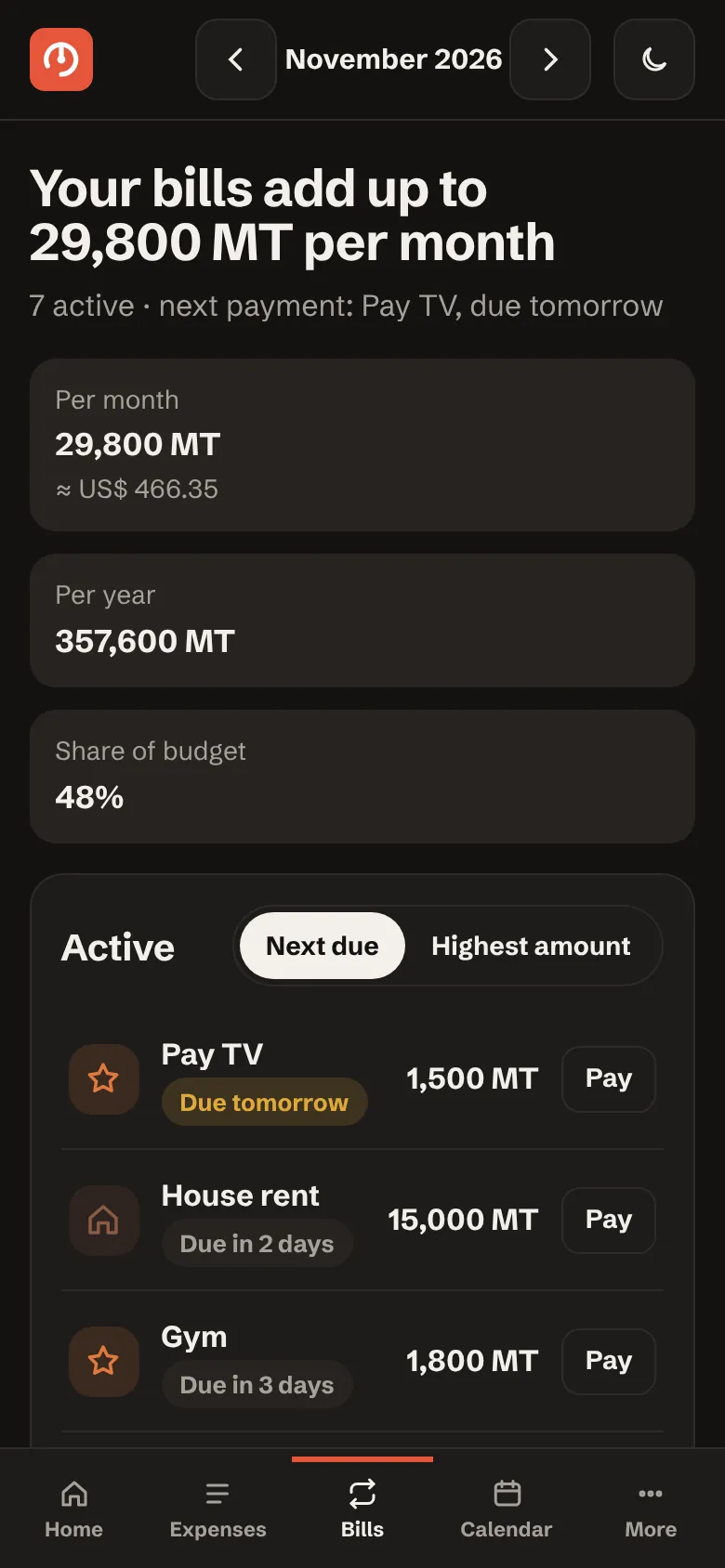
Rent, electricity, internet, school fees, instalments, insurance and subscriptions are saved with their due dates. Rasto tells you when a bill is due tomorrow or overdue, records the payment with one tap and shows what your bills cost per month and per year.

List of bills with due dates and a Pay button
3

A calendar of what you paid and what is coming

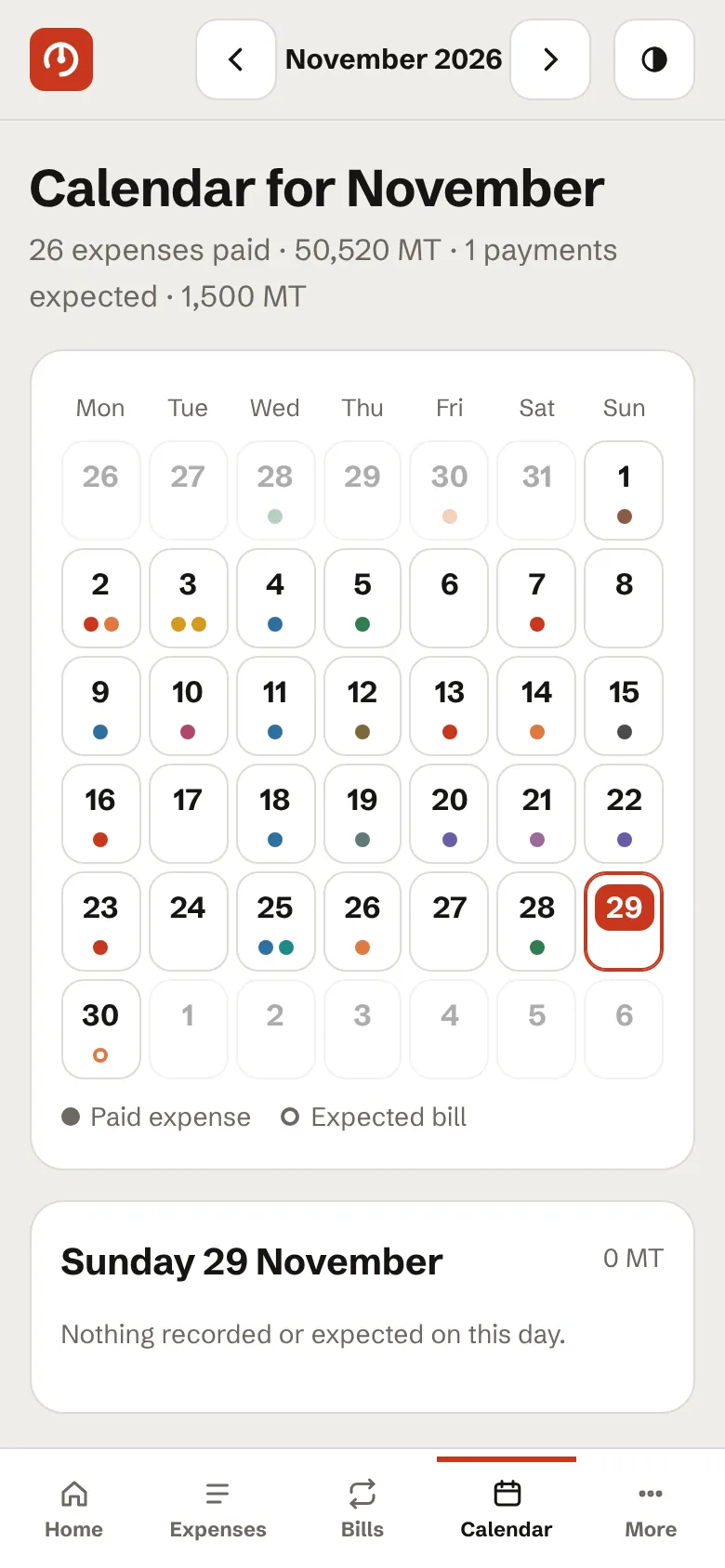
Each day shows what you already spent and the payments expected. You see the heaviest weeks of the month at a glance and prepare before money runs short. Reminders can also go to your phone calendar, with an alert on the day or the day before.

Monthly calendar with paid expenses and expected bills
4

A budget per category, with timely alerts

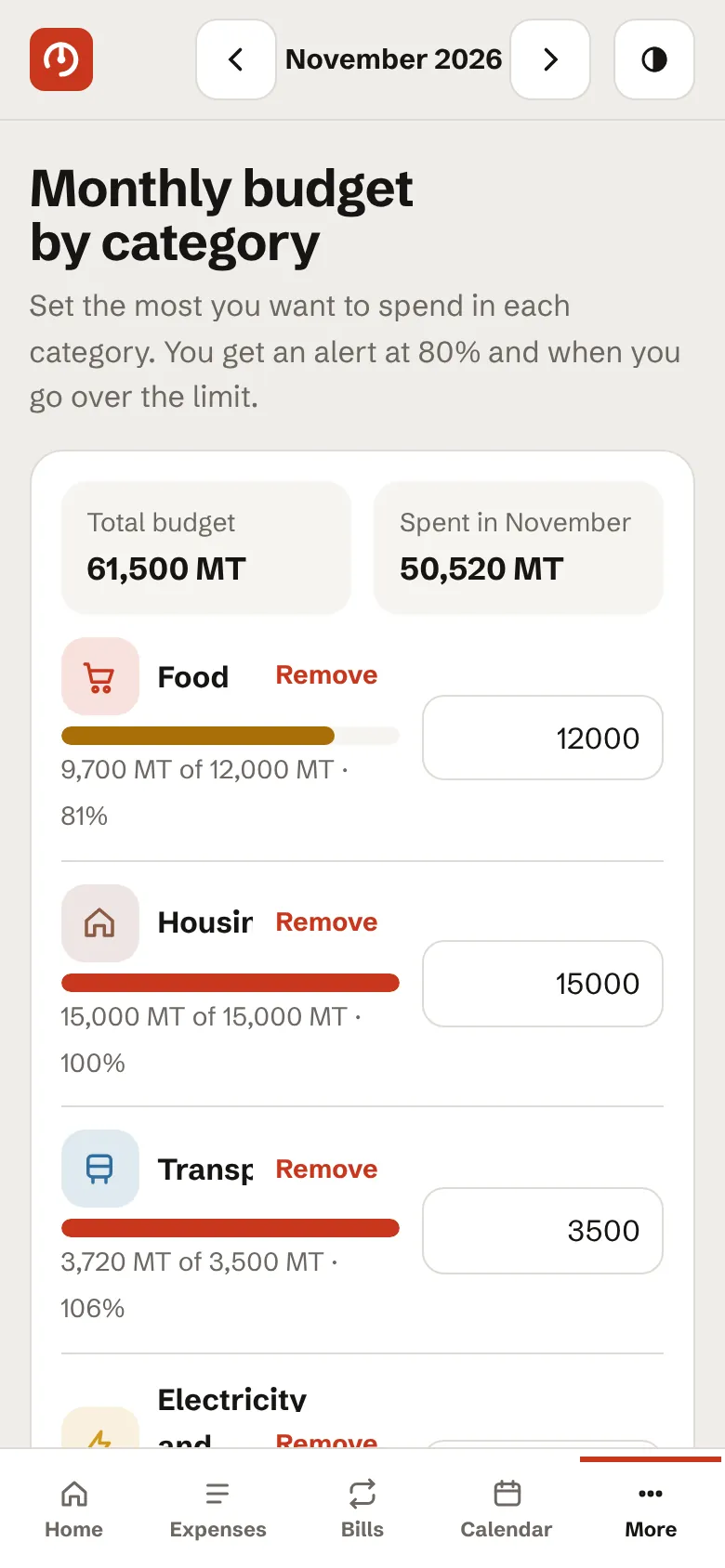
Set how much you want to spend on food, transport, electricity, education or leisure. Rasto alerts you at 80% of the limit and when you go over it, and works out whether, at the current pace, the month will end over budget.

Monthly budget by category with progress bars
5

Monthly and yearly reports

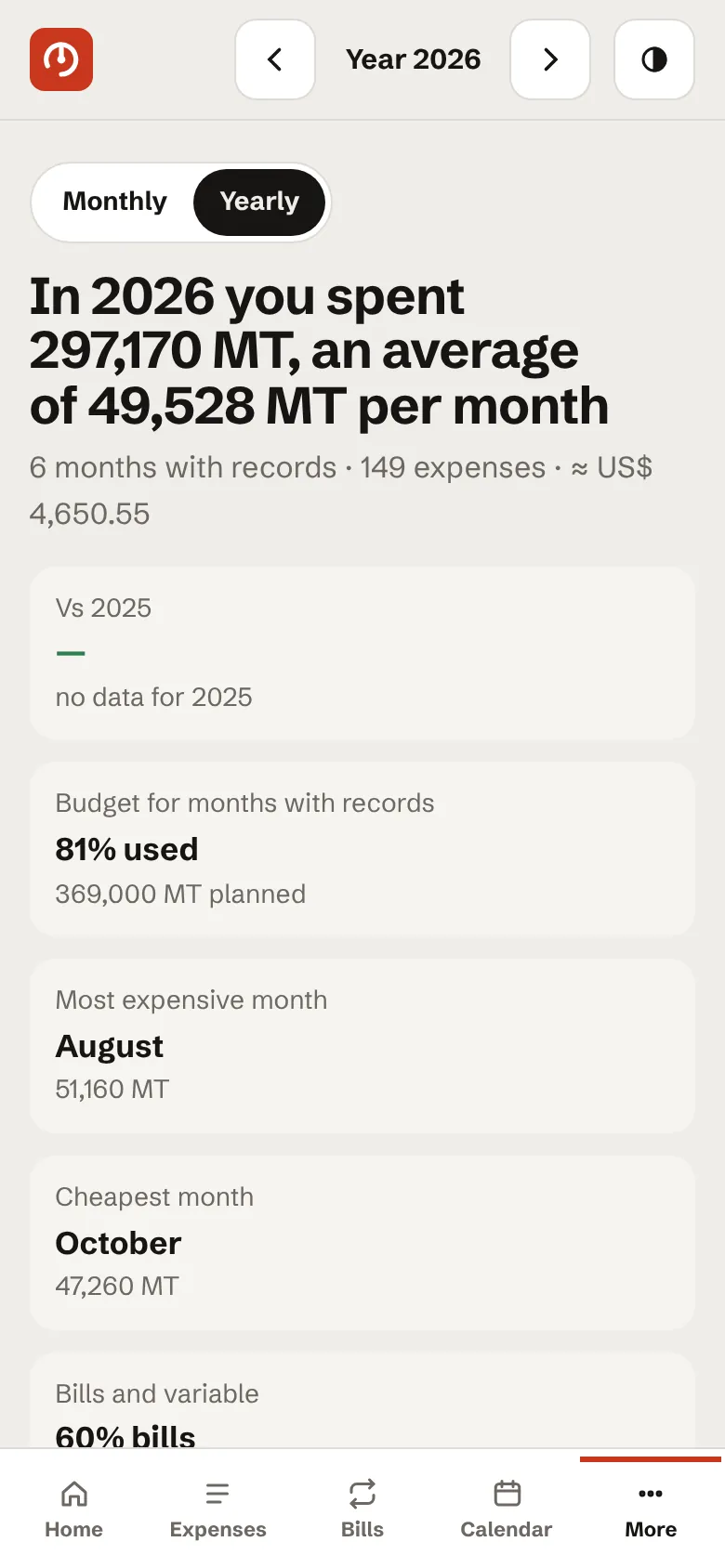
See where the money goes, how it compares with the previous month or year, the share of bills, the most expensive months and the largest expenses you could cut. Reports can be exported to Excel or printed as PDF.

Yearly report with total spent, monthly average and a month by month chart
6

No passwords, and your data goes where you go

Sign in with a code sent to your email or with your fingerprint, with no password to remember. Your expenses are saved to your account and kept the same on all your devices, and the app keeps working offline, sending your changes when the connection is back. It also has light, dark or automatic mode.

Bills in dark mode

Built for everyday money in Mozambique

Meticais first

Every amount in meticais, with the dollar equivalent at the rate you choose.

Mobile wallets and banks

M-Pesa, e-Mola, mKesh, card, bank transfer and cash, so you know how you pay, not just how much.

Made for families

Record who spent each amount and see how much each family member spends per month.

In English and Portuguese

The app follows your phone language and can be switched at any time.

Get started in three steps

  1. Open Rasto and sign in

    Tap «Open Rasto», type your email and enter the code you receive. Sample data shows how everything works.

  2. Install it on your phone

    On Android, use the Chrome menu and «Install app». On iPhone, use «Share» and «Add to Home Screen».

  3. Record your first expense

    Start with your bills and budget; after that, just record or photograph each expense.

Frequently asked questions

Is Rasto free?

Yes. You can use every feature without paying anything.

Do I need an account?

Yes, but without a password: type your email and you get a 6-digit code. You can then create a passkey and sign in with your fingerprint, face or device PIN.

Where is my data stored?

In your account, on Cloudflare servers, and also on your device so the app works offline. Receipt photos are read on the device itself and then stored privately in your account. Your data is not sold or shared, and you can delete your account at any time in Settings.

Does it work offline?

Yes. Once opened for the first time and installed, Rasto works offline. Reading receipts downloads the reader only once, about 4 MB.

Which receipts can it read?

Photos of receipts, screenshots, PDF invoices and confirmation SMS from M-Pesa, e-Mola, mKesh and banks. Very faded receipts or photos taken in poor light may fail, so you always check the amount before saving.

How do I install it on my phone?

Open Rasto in your browser. On Android, tap the Chrome menu and «Install app»; on iPhone, tap «Share» in Safari and «Add to Home Screen».

Can I use it with my family?

Yes. Add family members in Settings and choose who spent each amount; reports show how much each person spends.

Will I get reminders for bills?

Yes. You can add your bills to your phone calendar, with an alert on the day, the day before or three days before, and turn on app notifications.
Your money leaves a trail. Start following it today.

Open Rasto, add your bills and see, this month, where every metical goes.

Open Rasto